

Resolver analysis
Tip
Resolver analysis is supported for Rspack, but it is disabled by default. To enable it, add resolver to the features array as shown in the example below. See features configuration.
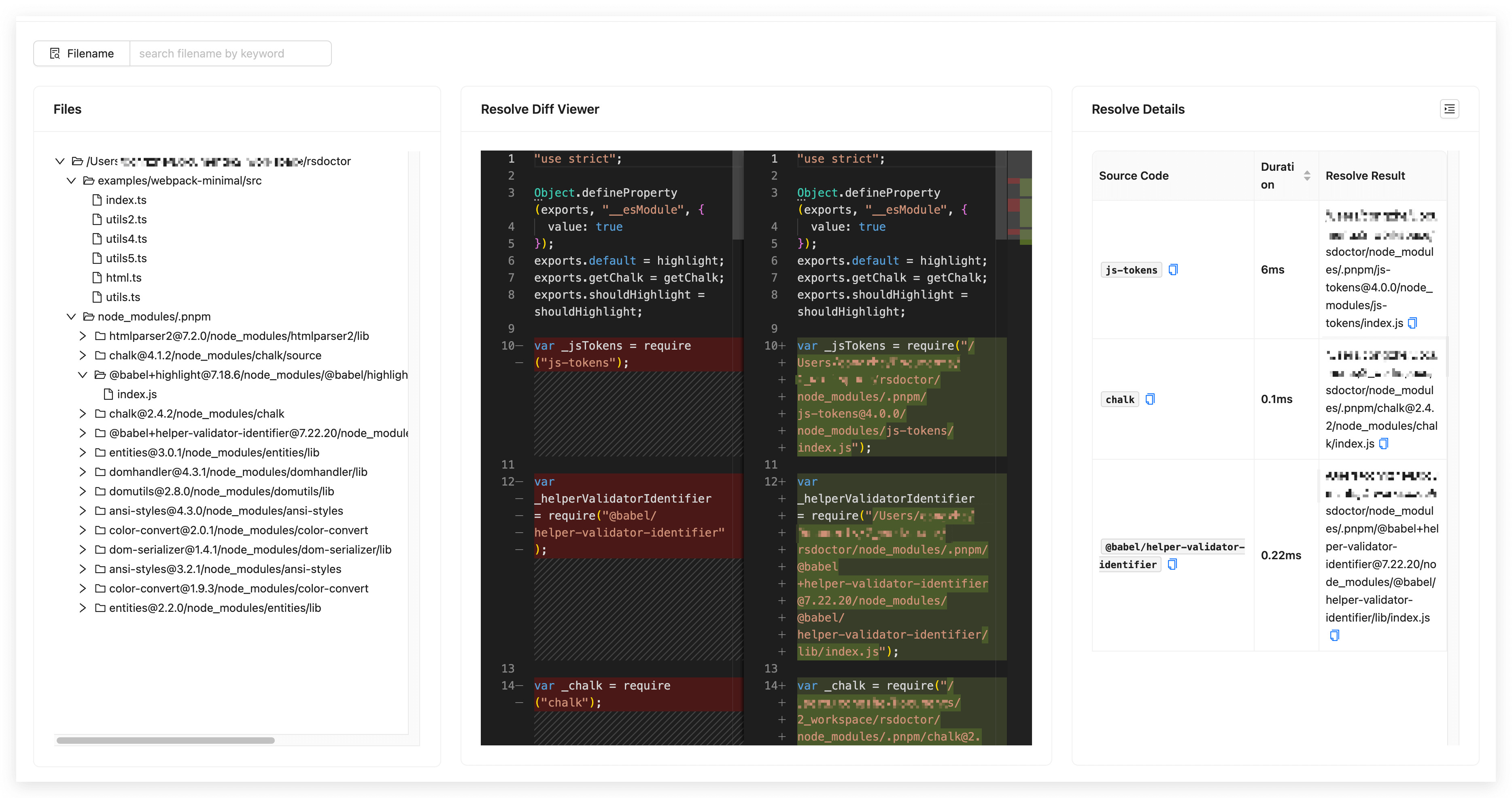
In the Rsdoctor Module Resolve section, we can see all the source files in the current Rspack project. By clicking on a file, we can view information such as the module paths imported in that file, the before and after resolution path comparison, and the resolution time, as shown in the following image:
Glossary
The fields in the data statistics table on the page are defined as follows: